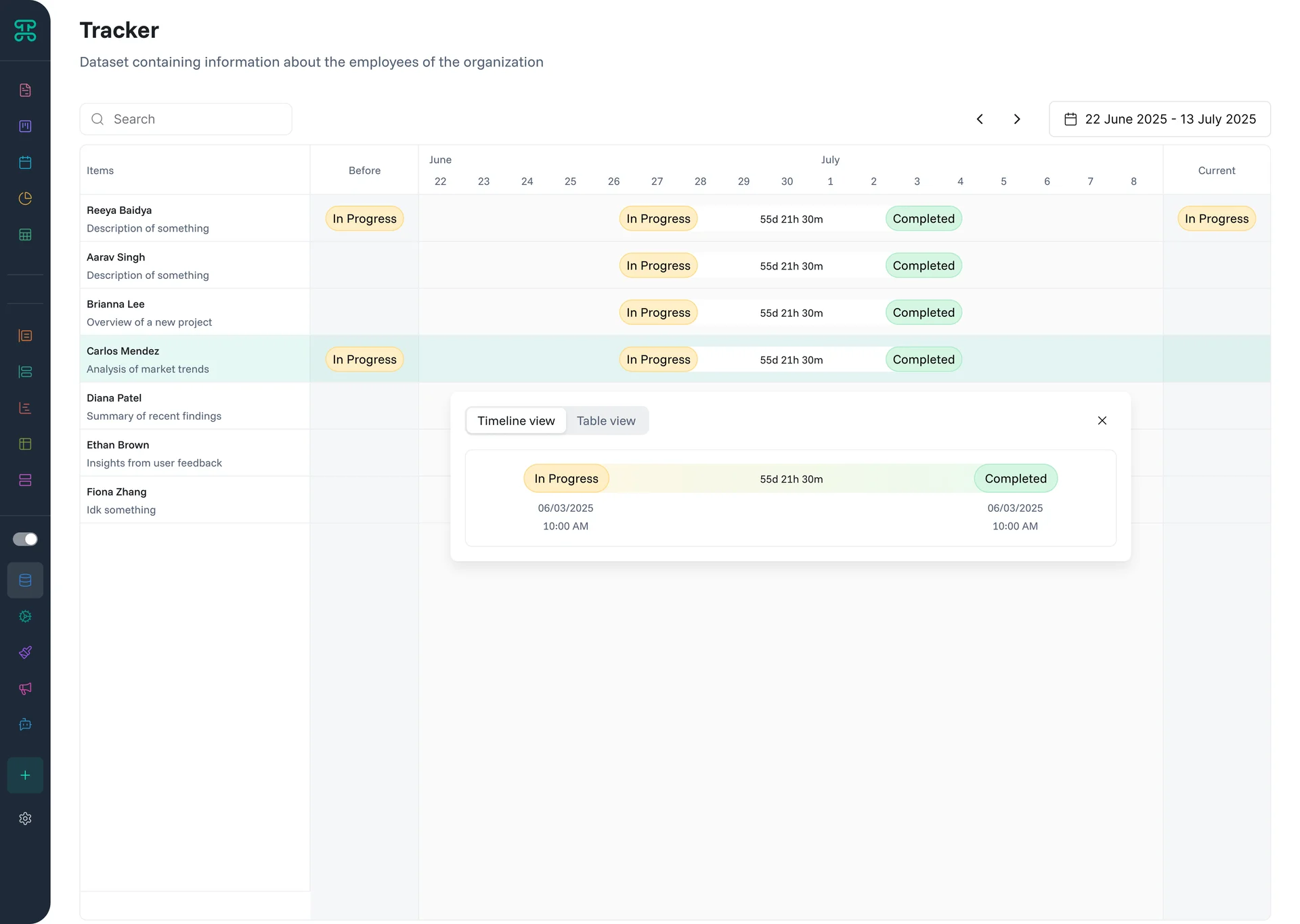
Monitor activities and changes over time. Tracker interfaces create audit trails and activity feeds that show who did what and when.
Structure & Behavior
Activities display in chronological order with timestamps and user attribution. Filter by user, action type, or date range. See before/after values for changes. Related activities group together for context.
Each entry shows essential information—the actor, action, affected record, and timestamp. Expand entries for full details including field-level changes. Color coding distinguishes action types—creates, updates, deletes.
When to Use
Audit Trails - Maintain compliance with change tracking
Project History - See evolution of tasks and milestones
Customer Interactions - Track all touchpoints in one timeline
System Monitoring - Watch for unusual activity patterns
Configuration Options
Choose which actions to track and display. Configure which columns you want to enable. Filter activity by date range to analyze specific time periods.